Showing posts with label photoshop techniques. Show all posts

Wednesday, January 20, 2016

Monday, November 29, 2010

Experimenting


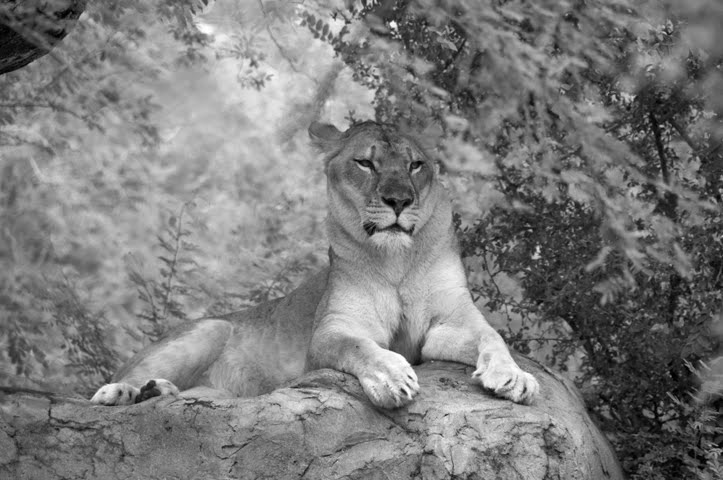
I have a new challenge coming up that requires black and white photography. Rather than shooting in B&W film I am experimenting with adjustment layers and the controls in Photoshop. I think these first 2 experiments are fairly successful. Maybe I need to try printing them too?

Monday, August 23, 2010

Tiny bubbles


Same picture cropped differently. Ever feel like your life has taken a similar turn?

Monday, August 16, 2010

Action


Challenge of the week is an action shot. Humming birds are active. I was delighted when I cropped the picture down to just the humming bird that it was a better shot than I viewed with all the cloudless sky and trees. I am amazed when cropping can dramatically change a picture. A little Hue/Saturation helped the sky to be a bit bluer.

Friday, August 6, 2010

I love Photoshop


Taking pictures of glass has some interesting challenges with flash. It is amazing what I can alter in Photoshop. Photoshop is magical.

Suggested change:

Monday, July 26, 2010

Blue Clouds?


The first picture is the JPG created by my camera. The second picture is much closer to what it actually looked like, thanks to RAW files and Photoshop. No wonder digital cameras can drive people crazy. It is what color?

Saturday, May 29, 2010

Two


Two birds sitting at lookout in the desert. Photoshop allows me to adjust the colors any way I want. Sometimes you really can go to extremes. Occasionally, when trying to adjust colors, I am amazed that the cactus I need to alter the yellow to get the right color. However, the sky is both blue and cyan. Sometimes it is fun to just go nuts with the color. This gives me a better appreciation of the colors we enjoy. I am glad a green sky only exists in Photoshop.

Thursday, April 8, 2010

RAW


This brawl started in the roadway and continued on the grass when a truck nearly ran them over. The 2 pictures are from the same RAW file. The bottom one I lightened the blacks so you could see them a little better. Unfortunately they had a better contrast before I uploaded the files. I need to learn to compensate for web colors. Third time looks more like I was hoping but lousy in Photoshop.

Thursday, February 25, 2010

Now you see it...


Now you don't. I love Photoshop. Amazing pictures can be enhanced in ways that no camera can accomplish. Can you see what I cheerfully removed?

Saturday, December 12, 2009

Try again


Tried again to see if I could get it a little more natural looking. I think it is a bit better. Thanks for the suggestion.